Lists for everything
Work, home, a trip, a side project: each list gets its own color. Anything you add without a list lands in General, so you can write it down now and sort it later.

 To-Do List
Write tasks down as they come and sort them into lists. When the day starts, pick a few and plan around them, with a timeline if you want one. No account: it all stays on your phone.
Want to know the moment it lands? Drop us a line.
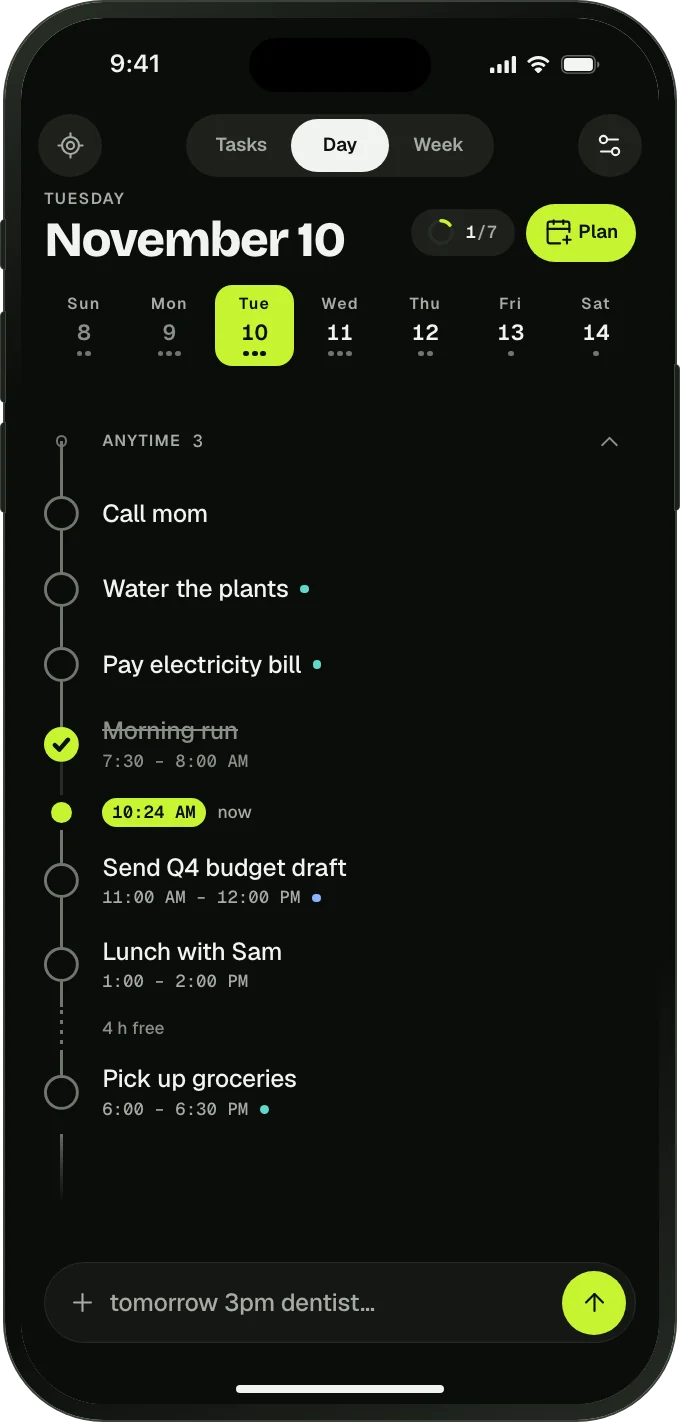
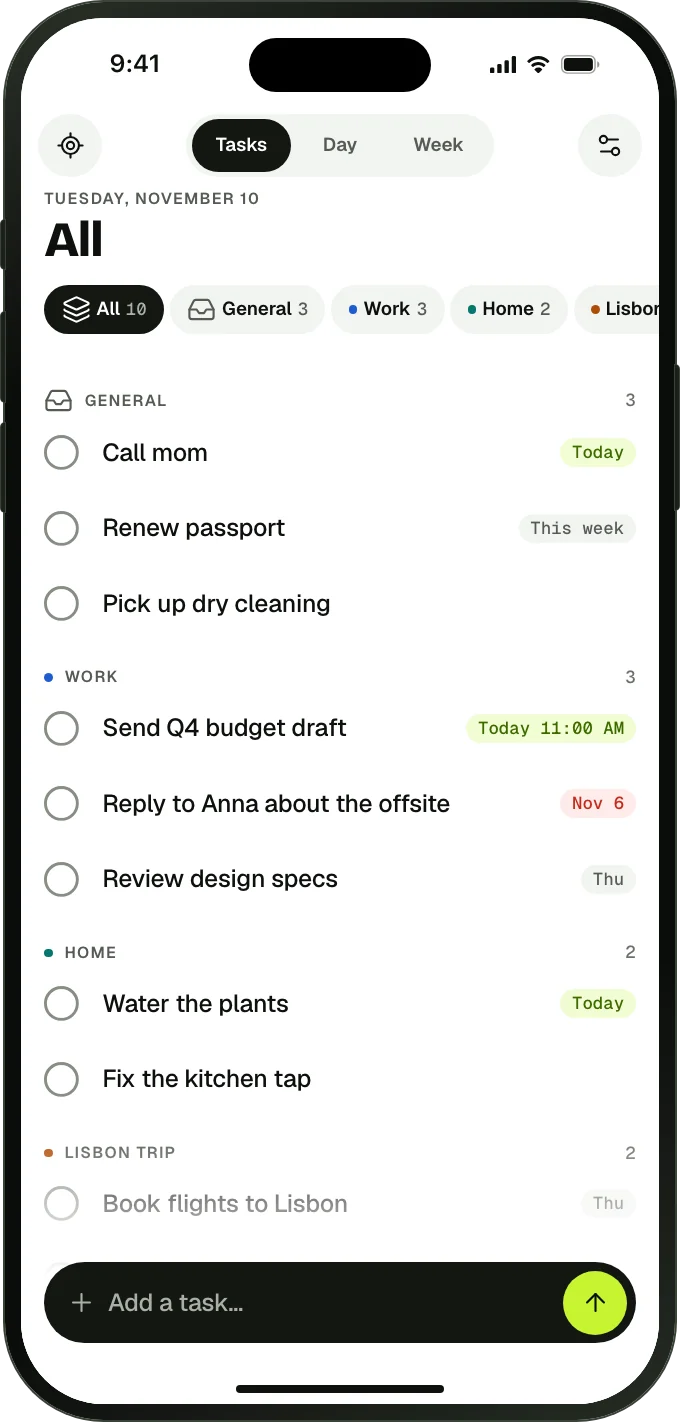


Three views on the same tasks: Tasks for your lists, Day for today, Week for the next seven days.
Work, home, a trip, a side project: each list gets its own color. Anything you add without a list lands in General, so you can write it down now and sort it later.
Tap Plan to see your lists, anything overdue and what is set for this week. Check a few and they move to today. The same picker plans your week.
Swipe a task right to bring it to today, or left to move it to this week. A small label shows when it is planned: Today, Thu, This week.
Give a task a time and it goes on the day’s timeline, with a marker for now. Tasks without a time stay in a short list. The week view shows all seven days.
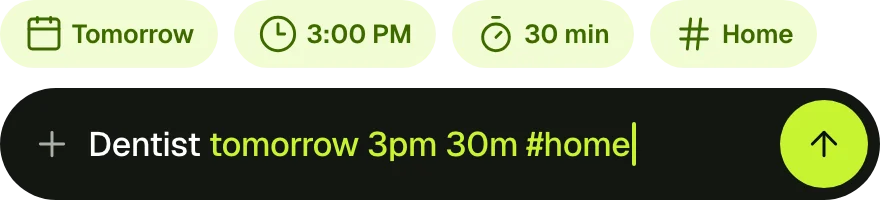
Type “dentist tomorrow 3pm 30 min #home” and the app sets the day, the time, the length and the list. You see what it understood before you save.
A reminder at the start time or 10 minutes before. Mark it done or snooze it right from the notification. A short morning summary is there if you want it.
Unfinished tasks from yesterday wait in a small tray. Bring them to today with one tap, or let them go.
Every day, weekdays, certain days of the week or once a month. Change one occurrence or the whole series.
No account, no sign-in, no ads. Tasks and lists are stored on your device and the app works offline.
Add tasks as they come to mind. Put them on a list, or leave them in General and sort them later.
Open Plan and check what you will do today, or swipe a task right. Add a time only where it helps.
Tick tasks as you go. A reminder comes when you asked for one, and what is left waits in the tray tomorrow.
A to-do list that keeps two things apart: everything you need to do, sorted into lists, and the few things you will do today. Planning is optional; if you skip it, it works as a plain list.
No. A task without a time just sits on the day’s list. Give it a time and it also goes on the timeline, with a marker showing where now is.
The list for tasks you add without choosing a list. Write things down as they come and move them to the right list later, or leave them there.
They stay on their list until they are done. Yesterday’s unfinished tasks wait in a small tray, where one tap brings them to today. Nothing turns red and nothing is deleted.
No. There is no account and no server, so your tasks live only on your phone. Your phone’s own backup (iCloud or Google) may include the app’s data.
The app is in English, Turkish, German, Spanish, French and Portuguese, with light and dark themes, 24-hour or 12-hour time and your own first day of the week. Every change can be undone.
Soon, on the App Store and Google Play. Leave us a note on the contact page and we will tell you when it is out.
Tik8: To-Do List is coming to the App Store and Google Play.
Want to know the moment it lands? Drop us a line.